Affiliate links: if you buy through links on this page we may earn a commission, at no extra cost to you.
Bambu Lab P1S vs P2S: the numbers side by side, verified
Bambu Lab P1S figures verified against the manufacturer datasheet Last-Modified 2025-04-29 (opens in a new tab) on . Bambu Lab P2S figures verified against the manufacturer spec sheet Last-Modified 2025-10-11 (opens in a new tab) on .
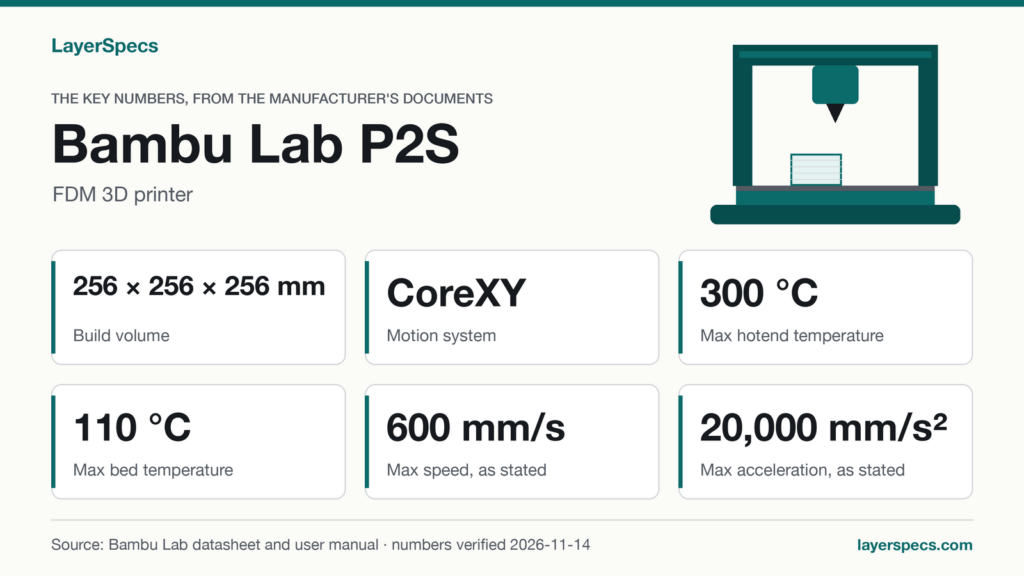
The short answer: the Bambu Lab P1S vs P2S comparison starts from a shared base. Both are CoreXY FDM printers with the same 256×256×256 mm build volume (256×256×256 mm on the P2S), a 300 °C maximum hotend, 20000 mm/s² maximum acceleration and a 0.4 mm nozzle. The makers’ tables differ in bed temperature, speed, camera, nozzle material, chamber wording and the AMS they pair with, shown in bold below.
| Spec | Bambu Lab P1S | Bambu Lab P2S | Gap |
|---|---|---|---|
| Max bed temperature | 100 °C | 110 °C | 10 °C higher on the P2S |
| Max toolhead speed | 500 mm/s | 600 mm/s | 20 percent higher on the P2S |
| Camera | Low Rate Camera 1280 x 720/0.5fps; Timelapse Supported | Built-in; 1920*1080; 30 fps HD | 2.25 times the pixels, 60 times the frame rate |
| Included nozzle | 0.4 mm Stainless Steel | 0.4 mm Hardened Steel | Different material, same diameter |
| Chamber | Shell: Enclosed (Plastic & Glass) | The P2S does not have an active chamber temperature control system | Wording differs; neither lists a chamber temperature |
| Display | 2.7-inch 192×64 Screen | 5-inch 854*480 Touchscreen | Larger touchscreen on the P2S |
| Max power at 220 V | 1000 W | 1200 W | 200 W higher on the P2S |
| Max power at 110 V | 350 W | 1000 W | 650 W higher on the P2S |
If the bed temperature, speed and camera figures in this table fit what you print, this is where to find the Bambu Lab P2S.
What the numbers mean
Bed and hotend: 100 °C against 110 °C
Bambu Lab states a maximum build plate temperature of 100 °C for the P1S and a maximum heatbed temperature of 110 °C for the P2S. Which means the P2S has 10 °C more headroom at the bed. At the hotend the two are level: 300 °C on the P1S and 300 °C on the P2S. The sources give no bed temperature per material, so the gap is a ceiling, not a recommendation.
Speed and acceleration: one differs, one doesn’t
The maximum toolhead speed is 500 mm/s on the P1S and 600 mm/s on the P2S, a 100 mm/s gap. At that ceiling a 300 mm travel move takes 0.60 s on the P1S and 0.50 s on the P2S, ignoring acceleration. Which is why the acceleration figure matters as much: both list 20000 mm/s² and 20000 mm/s², so the speed ceiling is the only difference in the kinematics rows. Both makers state these as maximums of the toolhead, not as print speeds.
Flow: figures with different test conditions
Bambu Lab lists 32 mm³/s for the P1S and 40 mm³/s for the P2S. Both are measured with Bambu Lab ABS at 280 °C, but the P1S figure uses a 150×150 mm single-wall model and the P2S figure a 250 mm round model with a single outer wall. Different test models mean the two numbers are not a like-for-like pair, so this page does not turn the 8 mm³/s gap into a speed advantage.
Nozzle and extruder: stainless steel against hardened steel
The P1S ships with a 0.4 mm Stainless Steel nozzle and Steel extruder gears; the P2S ships with a 0.4 mm Hardened Steel nozzle and Hardened Steel gears. Both list 0.2, 0.6, 0.8 mm optional diameters. This shows in the material lists. Bambu Lab rates Carbon/Glass Fiber Reinforced Polymer as “Not Recommended” on the P1S, while the P2S list includes PLA, PETG, ABS, ASA, TPU, Support for PLA, Support for PLA/PETG, Support for ABS, PET, PA, PC, PVA, PLA-CF, PETG-CF, ABS-GF, ASA-CF, PA6-CF, PA6-GF, PAHT-CF, PPA-CF, PET-CF without tiers. The two lists use different wording, so they show each maker’s stance rather than a measured difference.
Camera: Built-in; 1920*1080; 30 fps HD
The P1S lists Low Rate Camera 1280 x 720/0.5fps; Timelapse Supported. From the tracked numbers, 1280×720 is 921,600 pixels and 1920×1080 is 2,073,600, which is 2.25 times as many, and 30 fps against 0.5 fps is 60 times the frame rate. Which means a live view on the P2S is a video stream, while on the P1S it is one frame every two seconds.
AMS: which units each printer pairs with
For the P1S, Bambu Lab’s wiki says the AMS has 4 filament slots, the P1S AMS Combo includes one, and the P1S can connect up to 4 AMS units (AMS); with the AMS Hub, four units supply 16 spools. For the P2S, the FAQ lists up to 4 AMS 2 Pro and 4 AMS HT units, the AMS 2 Pro is in the P2S Combo, and the AMS Hub is incompatible. The first-generation AMS works on the P2S with an additional buffer adapter that has to be purchased. A standalone P2S has no filament buffer; the Combo has it pre-installed. A “P1S vs P2S combo” comparison is therefore not like-for-like: the P2S Combo includes the AMS 2 Pro, while the P1S sources do not confirm which AMS the listed P1S offer includes.
Power: compared at the same voltage
Both makers tie their maximum power to a voltage, so the pairs are fair. At 220 V: 1000 W against 1200 W. At 110 V: 350 W against 1000 W. Bambu Lab adds that the P2S heatbed runs at maximum power for about 3-5 minutes while heating, so the P2S figures are a heating peak. The P2S lists a PLA steady-state power of 200 W; the P1S sources give no steady-state figure, so no pair exists.
Pick the P1S if, pick the P2S if
Pick the P1S if
- A 100 °C bed and a 500 mm/s ceiling cover what you print, and the same 256 mm cube is all you need.
- You want up to 4 AMS units on the P1S with the AMS Hub for 16 spools.
Bambu Lab P1S: Where to buy the Bambu Lab P1S (opens in a new tab)
Pick the P2S if
- You want a 110 °C bed, a 600 mm/s ceiling and a 1920×1080 camera at 30 fps.
- You want a hardened steel nozzle and gears as shipped, and a 5-inch touchscreen.
Bambu Lab P2S: Where to buy the Bambu Lab P2S (opens in a new tab)
Changelog
- : First published.
Edited by LayerSpecs. Verified against Bambu Lab’s P1S datasheet (Last-Modified 2025-04-29) on and the P2S spec sheet (Last-Modified 2025-10-11) on .