Affiliate links: if you buy through links on this page we may earn a commission, at no extra cost to you.
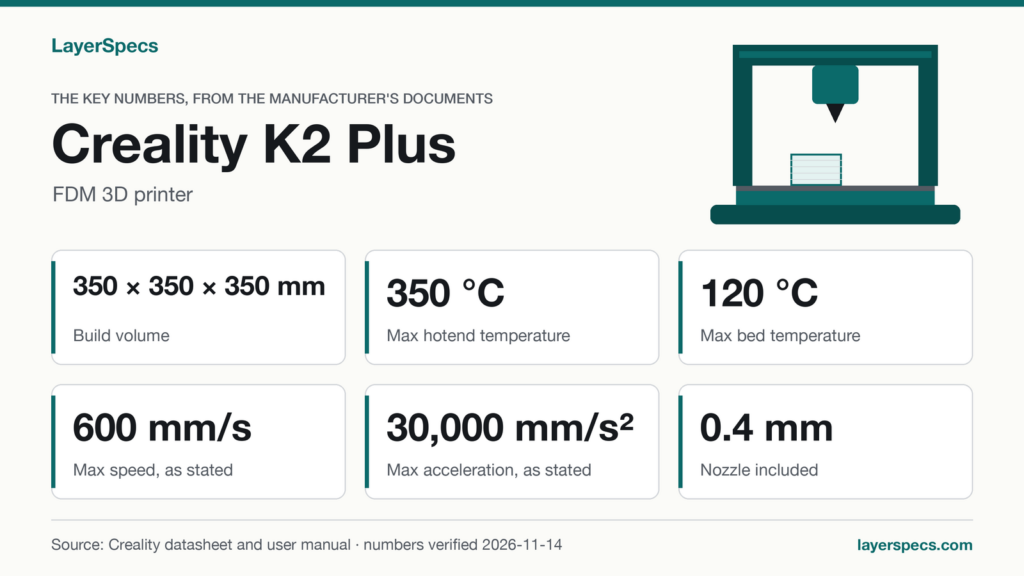
Creality K2 Plus build volume: the key numbers, verified
Verified against Creality’s K2 Plus Combo specification table (opens in a new tab) (2026-11-14), the K2 series comparison page (opens in a new tab) (2026-11-14) and the K2 Plus user manual (opens in a new tab) (wiki, 1.3 Equipment Specifications (2026-11-14)) on .
| Spec | Value | Source |
|---|---|---|
| Build volume | 350 × 350 × 350 mm | Specification table |
| Outer dimensions (without CFS) | 495 × 515 × 640 mm | Specification table |
| Net weight | 35000 g (35 kg) | Specification table |
| Chamber, maximum, active heater | 60 °C | Specification table |
| Nozzle maximum | 350 °C | Specification table |
| Heatbed maximum | 120 °C | Specification table |
| Nozzle included | 0.4 mm | Specification table |
| Filament diameter | 1.75 mm | Specification table |
If a 350 mm cube is the print space you need, this is where to find the Creality K2 Plus.
What the 350 mm cube means in inches and liters
Creality’s specification table lists the K2 Plus build volume as 350 × 350 × 350 mm. All three sides are the same, so the print space is a cube. Creality publishes it in millimeters only; this page does the conversion so you do not have to.
Starting from the stated 350 mm, each side is 13.78 inches, so the print space is about 13.8 × 13.8 × 13.8 in. Multiplied out, 350 × 350 × 350 mm is 42,875,000 cubic millimeters, which is 42.9 liters of print space. That is the ceiling for a single part: anything longer than 350 mm in any direction does not fit, and Creality’s own documents give no way around it.
The stated numbers cover three straight sides and nothing else. Creality does not give a diagonal, a corner limit or a usable height with accessories fitted, so a part that needs the full 350 mm in every direction is a case to check against the print space itself rather than assume.
Build volume versus the printer’s outer size
The same table lists a second set of numbers that people mix up with the first: the printer’s outer dimensions. Creality gives 495 × 515 × 640 mm, labeled as the K2 Plus dimensions without the CFS. That is the space the machine takes on a desk or shelf, and it is a separate question from how much it can print.
Putting the two together shows how much of the machine is print space. The 350 × 350 mm print area is 122,500 square millimeters; the outer footprint of 495 × 515 mm is 254,925 square millimeters, so the print area is about 48% of the footprint. In height, 350 mm of print space sits inside 640 mm of printer, about 55%. In inches the outer size is roughly 19.5 × 20.3 × 25.2 in, so a shelf or bench needs to be at least that wide, deep and tall, and that is before any extra room for the door or spool handling, which the documents do not quantify.
Creality lists the net weight as 35 kg. For a desk that matters as much as the footprint, so check the surface before the print volume.
Creality K2 Plus Combo build volume: what the CFS changes
Creality sells the K2 Plus both on its own and as the K2 Plus Combo. The Combo is the same printer with one CFS (Creality Filament System) included, per the footnote on Creality’s K-series comparison page. The specification table that lists the 350 mm cube is the Combo’s store page, and the printer specifications are the same for both, so the Combo build volume is the same 350 × 350 × 350 mm. The CFS changes what you can load, not how much you can print.
Creality lists the K2 Plus as compatible with the CFS, with up to 4 CFS extensions. The outer dimensions in the table above are given without the CFS, so a Combo needs more room than 495 × 515 × 640 mm once the CFS is added. This page works from the outer dimensions given without the CFS and does not add up a total for the printer with the CFS attached.
What else sits inside that print space
A larger build volume is worth more when the rest of the printer is stated to cope with it. Creality lists an actively heated chamber with a maximum of 60 °C, a nozzle maximum of 350 °C and a heatbed maximum of 120 °C. The chamber is the number to read next to the cube: the chamber maximum is far below the nozzle ceiling, so it is a warm enclosure, not an oven, and the documents do not say how long it takes to reach the maximum or what it holds on a long print.
The speed numbers need their condition. Creality states a printing speed of up to 600 mm/s and an acceleration of up to 30000 mm/s², and adds that the typical printing speed is 300 mm/s (data from Creality Lab). On a part that fills a large share of the cube, the typical figure is the more useful one to plan around.
The build surface is listed as a Flexible build plate with Automatic leveling. Creality gives no separate size for the plate, so this page does not give one: the 350 mm figure is the build volume, and the documents do not say how the plate itself is dimensioned.
The printer is listed with a Dual-gear direct drive extruder and a 0.4 mm nozzle for 1.75 mm filament. Creality lists these filaments as supported: PLA, ABS, PETG, PA-CF, PLA-CF, PET, ASA and PPA-CF.
What the K2 Plus can and can’t do, per the documents
It can
- Creality lists a 350 mm cubic build volume with an active chamber heater up to 60 °C.
- Creality lists compatibility with the CFS, with up to 4 CFS extensions.
- Creality lists file transfer by USB drive, Ethernet or dual-band Wi-Fi (2.4 GHz and 5 GHz).
It can’t, or the documents don’t say
- Printing a part longer than 350 mm in any direction.
- A separate size for the build plate: the documents cited here give none.
What to buy with it
Creality K2 Plus, enclosed printer with a 350 mm cubic build volume and a 0.4 mm nozzle as supplied: Where to buy the Creality K2 Plus (opens in a new tab)
Changelog
- : First published.
Edited by LayerSpecs. Verified against Creality’s K2 Plus Combo specification table (2026-11-14), K series comparison page (2026-11-14) and user manual on .