Affiliate links: if you buy through links on this page we may earn a commission, at no extra cost to you.
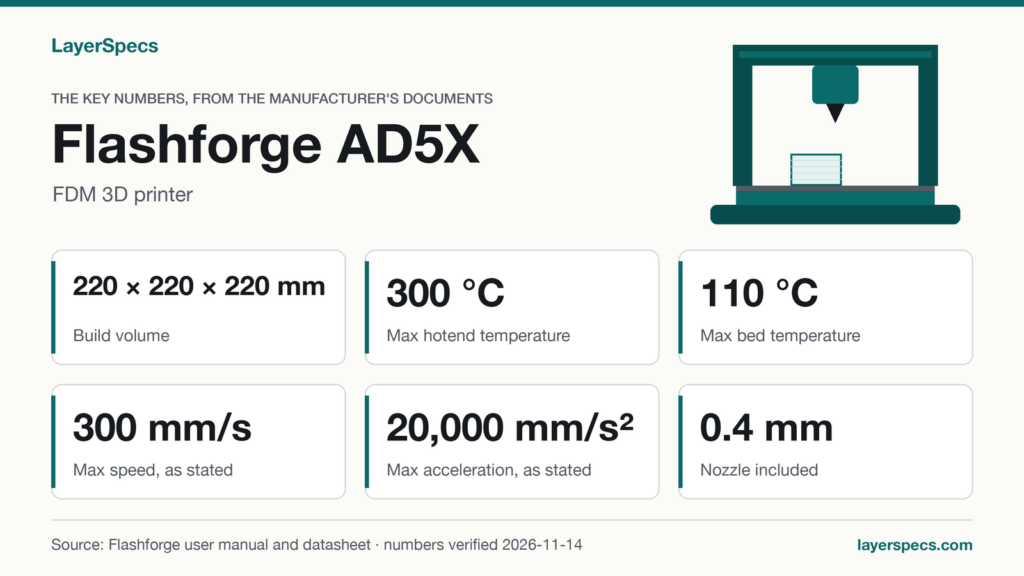
Flashforge AD5X nozzle size: the key numbers, verified
Verified against the Flashforge AD5X user guide A02 (EN/CN user guide, file dated 2025-03-12) (opens in a new tab), the quick start guide and Flashforge’s AD5X specification page on .
The short answer: the Flashforge AD5X ships with a 0.4 mm nozzle, which the user guide marks as the default, and Flashforge lists 0.25, 0.6, 0.8 mm as optional sizes. That is the whole nozzle size story in the manufacturer’s own documents: one size in the box, three you can choose instead.
| Spec | Value | Source |
|---|---|---|
| Nozzle diameter, default (included) | 0.4 mm | User guide, parameter table |
| Nozzle diameters, optional | 0.25, 0.6, 0.8 mm | User guide, parameter table |
| Layer height | 0.1-0.4mm | User guide, parameter table |
| Max extruder temperature | 300 °C | User guide, parameter table |
| Max bed temperature | 110 °C | User guide, parameter table |
| Filaments listed by Flashforge | PLA, PETG, PLA-CF, PETG-CF (list shown on the spec page is cut short) | Flashforge spec page |
| Multi-material | IFS, up to 4 colors | User guide, chapter 3 |
If a 0.4 mm default nozzle and the optional sizes listed on this page fit what you plan to print, this is where to find the Flashforge AD5X.
What the AD5X nozzle sizes mean in practice
Flashforge’s user guide gives one nozzle line in its parameter table: 0.4mm (default), followed by the optional diameters. Counted together, that is four sizes: the default and three alternatives. The table below puts the four side by side and shows what Flashforge states for each. A blank means Flashforge’s documents say nothing, and this page does not fill it in.
| Nozzle size | Status in Flashforge’s documents | What Flashforge states about it |
|---|---|---|
| 0.25 mm | Optional | Listed as a diameter, no use case stated |
| 0.4 mm | Default, included | The size the printer is specified with |
| 0.6 mm | Optional | Listed as a diameter, no use case stated |
| 0.8 mm | Optional | Listed as a diameter, no use case stated |
Default or stock nozzle size: 0.4 mm
If you are asking what comes in the box, the answer is the 0.4 mm nozzle. The user guide’s wording is “default”, so every other size is a choice you make, not a part that ships with the printer.
Nozzle diameter and layer height are stated separately
The user guide states a layer height of 0.1-0.4mm for the printer as a whole. It does not give a separate layer range for each nozzle size, so this page does not either. Which means you should read the layer range as the printer’s specification, and check the slicer profile for any optional size you fit.
Nozzle replacement: what the sources do not say
The documents this page is built on do not state the nozzle material, the hot end type or whether nozzles can be swapped without tools. Those fields are blank in the verified record, so this page makes no claim about them. What is documented is the list of sizes above and the printer’s 300 °C maximum extruder temperature.
Filament types Flashforge lists for the AD5X
Flashforge’s specification page lists PLA, PETG, PLA-CF and PETG-CF as supported filaments. The page shows that list cut short, so it is not a complete list and this page does not present it as one. The user guide’s plate section also names ABS, ASA, TPU and PC in its plate rules, which shows the guide expects more materials than the four above, but it is a plate note, not a filament compatibility table.
The two carbon-fiber entries matter for the nozzle question. PLA-CF and PETG-CF are carbon-fiber-filled filaments, and the sources used here state no nozzle material, so this page cannot say whether the default nozzle suits them. Which means that before buying a carbon-fiber spool, check Flashforge’s documents for the nozzle you plan to run.
Which plate goes with which filament
| Plate | Included? | What the user guide says |
|---|---|---|
| Powder coated PEI plate | Included with the printer | Needs glue for PLA, PETG, PLA-CF, PETG-CF, ABS and ASA; TPU needs no glue |
| PEI film plate | Purchased separately | Suitable for PLA and TPU without glue; glue recommended for PETG |
| PC sticker platform plate | Purchased separately | Suitable for PC, ABS and ASA |
The bed reaches 110 °C, and the spec page lists the design as “Closed Design: No“. The printer has no enclosure, so there is no chamber to hold heat for materials that want one.
Printer limits that stay the same whichever nozzle you choose
Several numbers in Flashforge’s user guide belong to the printer, not to a nozzle, so they do not change when you pick a different diameter. The guide states a printing speed range of 10-300 mm/s, with 300 mm/s as the top figure, and a maximum acceleration of 20000 mm/s². It gives no separate speed or flow figure for 0.25, 0.6 or 0.8 mm, so this page does not either.
The build volume is 220 x 220 x 220mm, and the guide lists one-click auto leveling, a 4.3-inch touch display, a filament run-out reminder and power loss recovery. The operating temperature range is 15-30 °C. A new nozzle size does not alter any of these, and the guide does not tie any of them to a nozzle diameter.
The practical reading is simple. The nozzle question on the AD5X is a choice among four listed diameters, with 0.4 mm as the one that ships. Everything else in this section is a printer-level specification, so the sizes are the only part of the nozzle story that the user guide leaves open for you to decide.
The IFS filament system and the nozzle
The user guide describes an IFS module with four inlets for filament; the compatibility record lists IFS (4-channel filament system) with up to 4 colors. You insert the four filaments into inlets 1 to 4 and pick the channel for each color when slicing. The guide lists one extruder, so a single nozzle size applies to every color in a print. Which means that choosing 0.25, 0.6 or 0.8 mm instead of the default would apply to all four channels at once.
The manual recommends Orca-Flashforge as slicing software, and the specification page also lists FlashPrint 5. Slicer profiles for the optional sizes are not described in the documents this page uses.
What the AD5X can and can’t do
It can
- Load up to four filaments through the IFS module and select the channel for each color when slicing
- Print from a USB flash drive, over Wi-Fi or over Ethernet
- Resume an unfinished print after a power outage, as the manual describes
It can’t
- Show a live camera view without an added camera: the manual states none is included
What to buy with it
Flashforge AD5X: Where to buy the Flashforge AD5X (opens in a new tab)
Changelog
- : first published.
Edited by LayerSpecs. Verified against the Flashforge AD5X user guide A02 (EN/CN user guide, file dated 2025-03-12) and Flashforge’s AD5X specification page on .